
How to refill the ink tube(s) TCS300/TCS500
| Introduction | If the ink level in the ink tubes is insufficient or if the ink tubes are empty they need to be filled. This document describes how to refill the ink tubes. |
| Required tools | Ink filling service tool |
Attention: |
Make sure that the maintenance cassette is in place. |
| Check | 1 How to check the ink level in the ink tubes |
Correction:
- Switch on the printer.
- Switch the printer "Off line"
- Select the item "Configure the system"
- Select "Service only"
Enter the password: 3 x left button, 2 x right button, 3 x left button and then press "next"
Use the buttons immediately below the display. - Select "Operate prime pump"
- The carriage moves to the middle position.
- Open the top cover.
- Connect the ink filling service tool at one side to the cap of the Prime unit.
(The smallest part of the ink filling tool goes into the priming cap)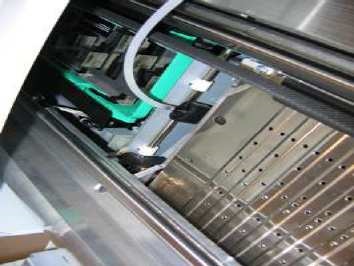
- Press the "Pump ON" button in the display
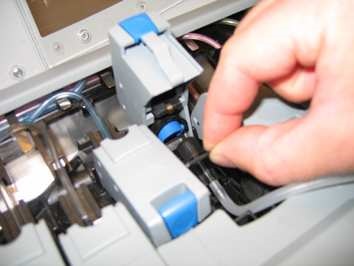
- Connect the other end of the ink filling service tool subsequently to the the print head tubes that need filling until a steady flow of ink is getting into the ink filling tube.
- Take a glass of water.
- Pump a little bit of water through the ink filling service tool until it is clean.
- Press the "Pump OFF" button in the display
- Disconnect the ink filling service tool.
- Look at the hole in the cover of the carriage: Ink tubes must be full with ink.
Aim: Check if the tubes do not leak. - Stop the prime pump tool in the display.
- Close the top cover as indicated in the display.
- Clean the ink filling tool.
Put the ink filling tool in the left side leg of the printer. - Do "Optimize print quality"
- Put the ink filling tool in the right side of the printer, in de gap beside the printer controller.